Hi, how can we help?
To help users better understand how platform coupons work, including their applicable scenarios, usage rules, and important notes, the following is a standardized explanation of the main coupon types available on the platform.
Users can view their acquired coupons via:
BIT App → Stocks → Me → My Coupons
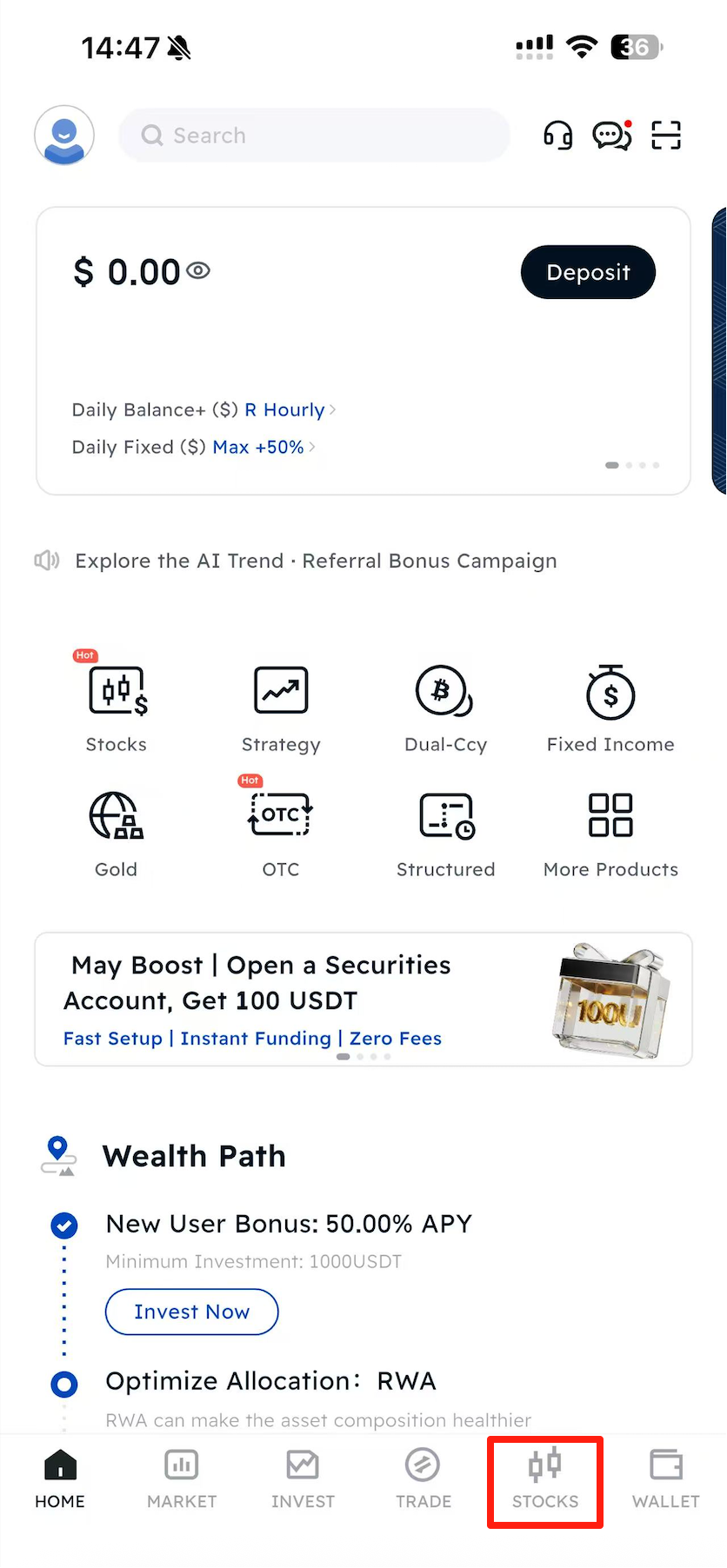
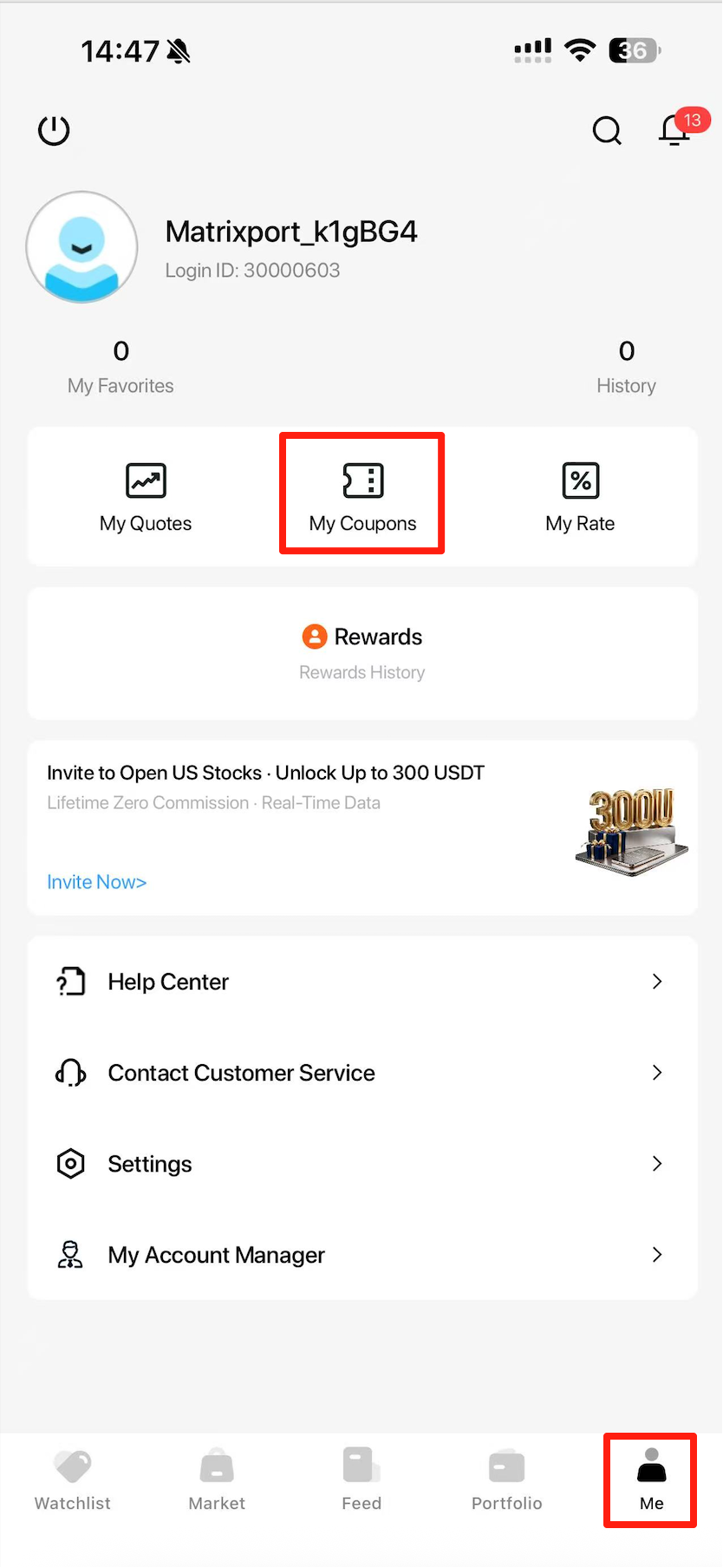
Different coupon types correspond to different benefits and usage rules. Please carefully read the relevant instructions before claiming or using any coupon.
Actual usage rules, validity periods, applicable markets, and restrictions shall be subject to the activity page and coupon detail page.
I. Overview of Coupon Types
The platform currently provides the following coupon types:
| Coupon Type | Description | Manual Claim / Activation Required | Withdrawable |
| Cash Card | Credited to the US Stocks account as account balance | Manual claim required | Yes (users may transfer the funds to the BIT platform after completing US Stocks account opening and KYC, or withdraw via bank wire after linking a bank account (minimum wire withdrawal amount: USD 1,000)) |
| Market Data Card | Used to activate corresponding market data permissions | Manual activation required | No |
| Stock Cash Card | Used to offset principal when buying stocks / ETFs | Automatically credited and activated | No |
| Platform Fee Credit Card | Used to offset trading platform fees | Automatically credited and activated | No |
II.、Detailed Coupon Descriptions
1. Cash Card
1.1 Definition
A Cash Card is a cash reward coupon issued by the platform.
After the user claims the coupon, the reward amount will be credited to the corresponding US Stocks account and can be used for trading or as account balance.
1.2 How to Use
Cash Cards are not automatically credited to the account.
Users must:
- Manually tap “Claim Now”
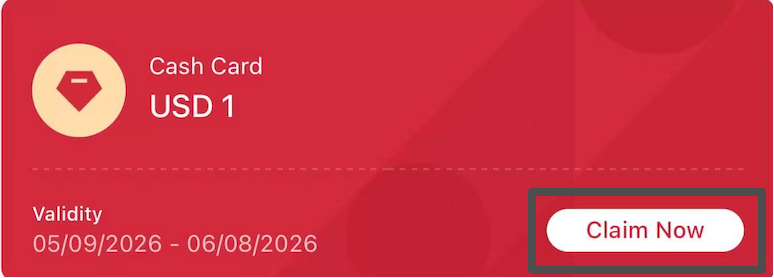
Only after confirming the claim will the reward amount be officially credited to the US Stocks account balance.
If the coupon is not manually claimed:
- The reward will not be credited
- The coupon will expire after the validity period
1.3 Crediting Rules
After a successful claim:
- The reward amount will be credited to the US Stocks account
- Users can view it in account assets
- It can be used for trading on the platform
Some promotional rewards may support withdrawals, subject to the activity rules.
1.4 Usage Restrictions
Cash Cards:
- Cannot be transferred
- Cannot be gifted
- Cannot be transferred between accounts
If any abnormal trading or arbitrage behavior is detected, the platform reserves the right to revoke the reward.
1.5 Validity Period
Cash Cards have a claim validity period:
- Users must complete the claim within the validity period
- After claiming, fund usage rules are subject to the actual account display
- Unclaimed coupons will automatically expire after the validity period
1.6 Notes
- Please claim your coupon in time
- Check account balance changes after the reward is credited
- Some promotional rewards may include additional usage conditions
2. Market Data Card
2.1 Definition
Market Data Cards are used to activate or extend market data permissions for specific markets.
After users claim and activate the card, they can use the corresponding level of market data service for free during the validity period and access richer, more real-time market data.
The platform currently mainly provides the following two types of market data cards:
| Market Data Type | Data Level | Description |
| Nasdaq Basic | Level 1 | Provides real-time trade data and best bid & offer quotes |
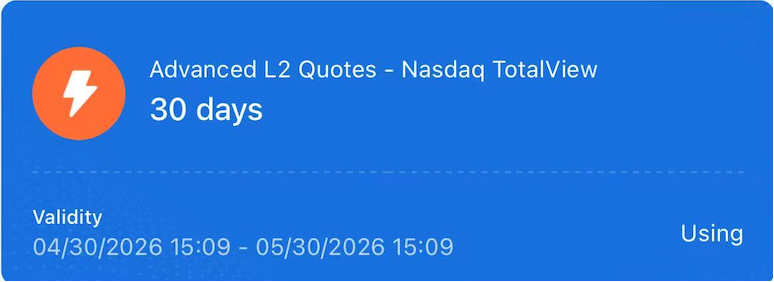
| US Order Book (Nasdaq TotalView) | Level 2 | Provides 60-level bid & offer quotes and advanced market depth data |
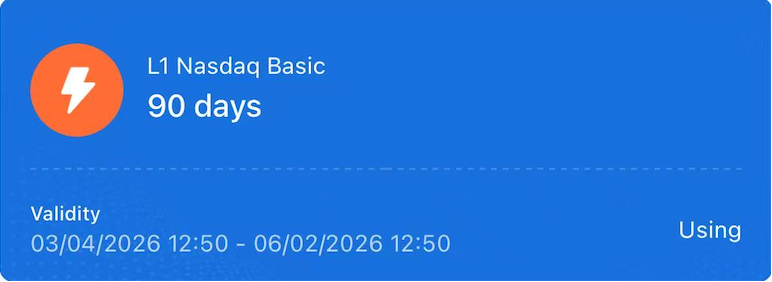
2.2 How to Use
Market Data Cards do not take effect automatically.
Users must complete the following steps before they can officially use the service:
Step 1: Enter the Coupon Page
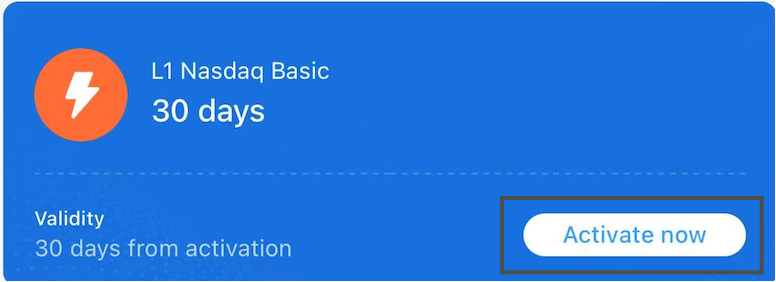
Find the corresponding Market Data Card under [My Coupons].
For example:
- L1 Nasdaq Basic
- US Order Book
Tap:
[Activate Now]
Step 2: Complete User Assessment
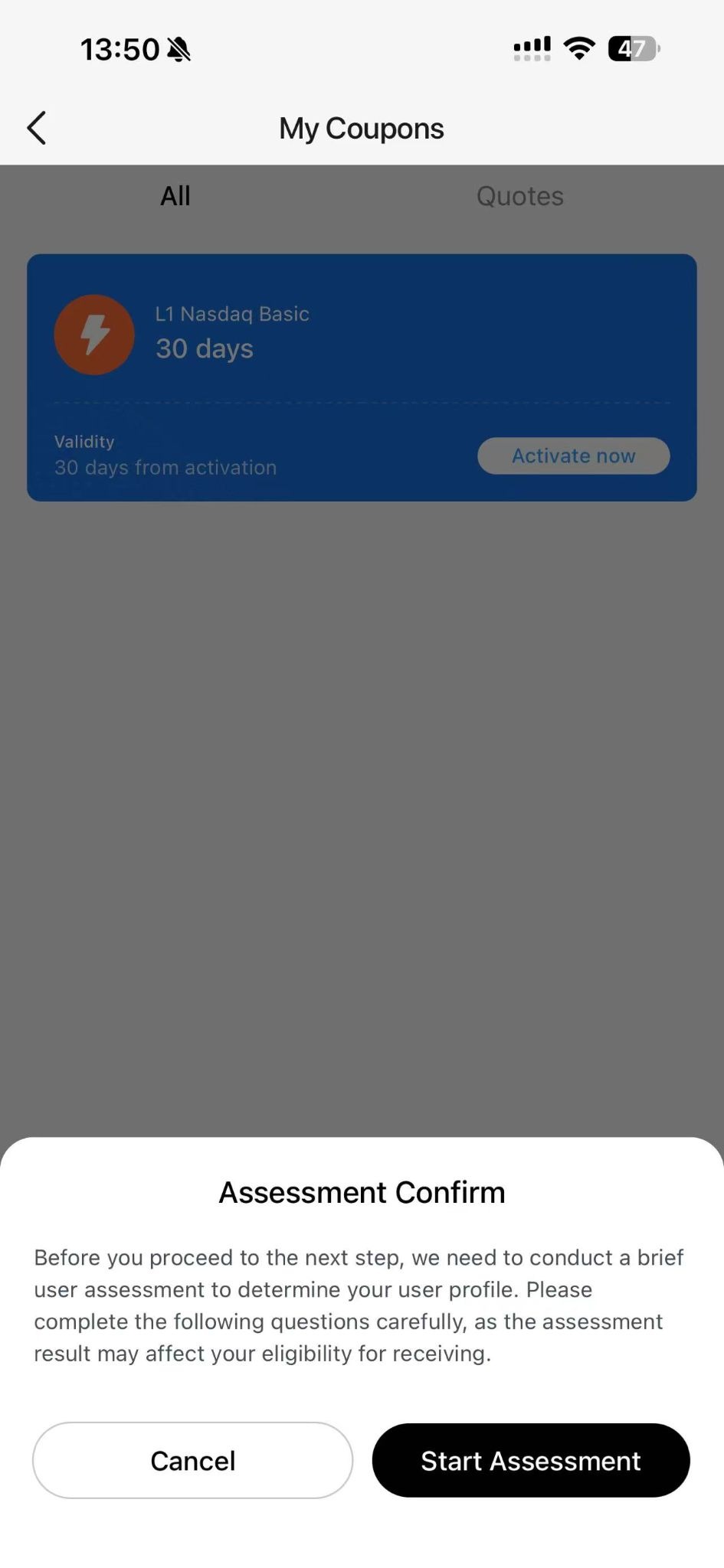
Before activating certain market data permissions, the platform may require users to complete a corresponding user assessment.
Tap:
[Start Assessment]
If the assessment is not completed:
- The Market Data Card cannot be activated
- Permissions will not be enabled
Step 3: Activation Successful
After successful activation:
- Market data permissions take effect immediately
- The coupon officially enters the validity period
- The system starts calculating usage time
For example:
- 30-Day Market Data Card
- 90-Day Market Data Card
The validity period starts from the activation time.The same type of Market Data Card only requires activation once.
After the initial activation (including completion of the required assessment questionnaire), any newly received card of the same type will automatically take effect without requiring repeated activation.
- If the current service is still active, the validity period will be automatically extended.
- If the current service has already expired, the newly received card will automatically reactivate the service.
2.3 Market Data Card Types
(1) Nasdaq Basic (Level 1)
Nasdaq Basic belongs to Level 1 market data.
It mainly provides:
- Real-time Nasdaq trade data
- Best bid & offer quotes
- Basic real-time market data
Suitable for:
- Daily market monitoring
- Basic trading users
- General investment decision reference
Features
Users can view:
- Latest stock price
- Price change percentage
- Trading volume
- Best bid & offer prices
Suitable Users
Recommended for:
- Beginner investors
- General US stock trading users
- Users with low demand for order book depth
(2) US Order Book (Nasdaq TotalView)
US Order Book belongs to Level 2 market data.
Compared with Nasdaq Basic, it provides more complete and deeper order book data.
Features
Supports viewing:
- 60-level bid & offer quotes
- Deep order distribution
- Multi-level pending orders
- Pre-market / Regular / Post-market / Overnight trading session data
- Depth chart data
Users can more comprehensively observe changes in market buying and selling strength.
Advantages of US Order Book
① Better Understanding of Market Depth
The 60-level order book provides a more comprehensive view of market buying and selling demand, helping users observe price movement trends.
② Clearer Analysis of Buying and Selling Strength
By analyzing order quantities at different price levels, users can evaluate:
- Bullish and bearish strength changes
- Buy and sell pressure levels
- Market sentiment changes
③ Support for Advanced Trading Decisions
Suitable for:
- High-frequency market observers
- Short-term traders
- Advanced order book analysis users
- Professional investors requiring deep market data
2.4 Nasdaq Basic vs US Order Book
| Feature Comparison | Nasdaq Basic | US Order Book |
| Market Data Level | Level 1 | Level 2 |
| Exchange | Nasdaq | Nasdaq + Blue Ocean |
| Bid & Offer Levels | Best Bid & Offer | 60 Bid & Offer Levels |
| Order Details | Not Supported | Supported |
| Depth Chart | Not Supported | Supported |
| Overnight Session Data | Partially Supported | Supported |
| Suitable Users | General Users | Professional Traders |
2.5 Usage Restrictions
Market Data Cards:
- Cannot be withdrawn
- Cannot be transferred
- Cannot be exchanged for cash
- Cannot be used for trading fee deductions
Different Market Data Cards are only applicable to their corresponding markets and permissions.
2.6 Validity Period
The validity period only starts after activation.
For example:
- 30 days after activation
- 90 days after activation
If the user does not activate the coupon:
- Market data permissions will not be enabled
- The validity period will not begin
2.7 Notes
- It is recommended to activate only when actually needed
- Activated Market Data Cards cannot be paused or resumed
- Permissions will automatically expire after the validity period
- Some market data permissions require user assessment first
- Different Market Data Cards correspond to different market permissions
3. Stock Cash Card
3.1 Definition
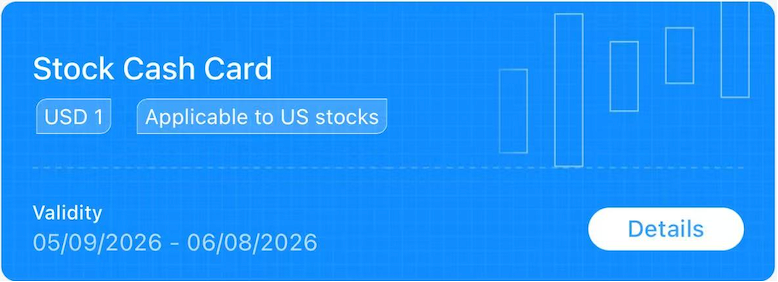
Stock Cash Cards are used to offset part of the purchase amount when users buy stocks or ETFs.
The system will automatically apply the deduction when placing an order.
3.2 Card Types
Stock Cash Cards are divided into:
| Type | Applicable Scope |
| Stock Card | Stocks only |
| ETF Card | ETFs only |
The two types cannot be used interchangeably.
For example:
- Stock Cards cannot be used to purchase ETFs
- ETF Cards cannot be used to purchase individual stocks
Please refer to the coupon detail page for specific applicable categories.
3.3 How to Use
After a Stock Cash Card is issued:
- It is automatically credited to the account
- The validity period starts automatically
- No manual claim required
- No manual activation required
For eligible trades:
- The system will automatically identify and apply the deduction
3.4 Usage Scenarios
For example:
When users purchase:
- US stocks
- ETF products
If the usage conditions are met:
- The system will automatically deduct the corresponding amount
3.5 Usage Restrictions
Stock Cash Cards:
- Cannot be withdrawn
- Cannot be transferred
- Cannot be exchanged for cash
- Cannot be split for multiple uses
Some cards may also include restrictions such as:
- Designated markets
- Minimum trading amount
- Specific product categories
3.6 Validity Period
After the Stock Cash Card is credited:
- The validity period starts automatically
- Unused cards will automatically expire after expiration
Please refer to the page display for the exact validity period.
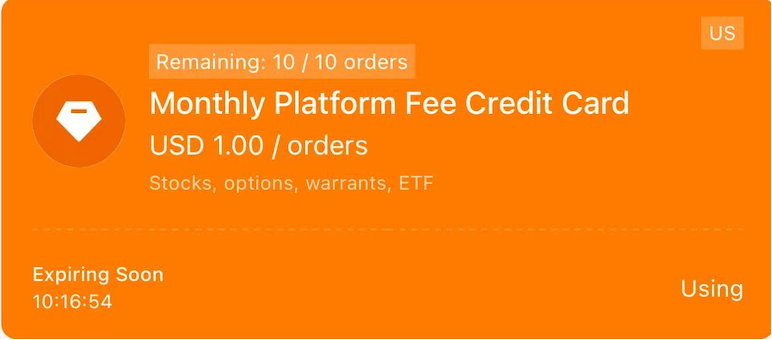
4. Platform Fee Credit Card
4.1 Definition
Platform Fee Credit Cards are used to offset platform fees generated during trading.
Applicable to:
- Stocks
- ETFs
- Options
- Warrants
4.2 How to Use
After the Platform Fee Credit Card is issued:
- It is automatically credited to the account
- It becomes effective automatically
- No manual claim required
- No manual activation required
When users trade:
- The system will automatically prioritize deducting applicable platform fees
4.3 Deduction Rules
Platform Fee Credit Cards usually include:
- Deduction amount per transaction
- Remaining usage count
- Designated applicable markets
For example:
- USD 1 / order
- Remaining 10 uses
After each eligible trade:
- The system automatically deducts one usage count
4.4 Usage Restrictions
Platform Fee Credit Cards:
- Cannot be withdrawn
- Cannot be transferred
- Cannot be exchanged for cash
- Cannot be used toward stock principal purchases
Some fees may not be eligible for deduction.
4.5 Validity Period
After the Platform Fee Credit Card is credited:
- It automatically enters the validity period
- It automatically expires after expiration
Please use it within the validity period.
4.6 Notes
- Fee rules may vary across different markets
- The system automatically matches the optimal deduction method
- Actual deduction results are subject to the order page display
III. Frequently Asked Questions (FAQ)
1. Why can’t my coupon be used?
Possible reasons include:
- The coupon has expired
- The coupon has not been claimed
- The coupon has not been activated
- The product does not meet usage conditions
- Market mismatch
- Usage count has been exhausted
Please refer to the coupon detail page for the actual rules.
2. Why didn’t my Market Data Card take effect immediately?
Market Data Cards only take effect after manual activation.
Before activation:
- The validity period will not start
- Permissions will not be enabled
3. Why do Platform Fee Credit Cards take effect automatically?
Platform Fee Credit Cards belong to automatically credited coupon types:
- They are credited immediately after issuance
- The validity period starts automatically
- Fees are automatically deducted during trading
No user action is required.
4. Why hasn’t my Cash Card been credited?
Cash Cards require users to manually claim them before the reward can be credited to the US Stocks account.
If not claimed:
- The reward will not be credited
- The coupon may expire after the validity period
IV. Risk Disclosure
- Coupons are only issued through official platform campaigns
- Please do not trust any private coupon trading behavior
- The platform reserves the right to restrict abnormal arbitrage activities
- Final rules are subject to the latest platform announcements and page displays
V. Final Statement
The platform may adjust the following based on business needs:
- Coupon names
- Usage rules
- Validity periods
- Applicable markets
- Deduction scope
Please refer to the actual page display and activity rules for the latest information.