繁
Hi, how can we help?
How to Transfer U.S. Stocks from Futu Securities to BIT
Step 1|Submit a “Stock Transfer-In” Request on BIT
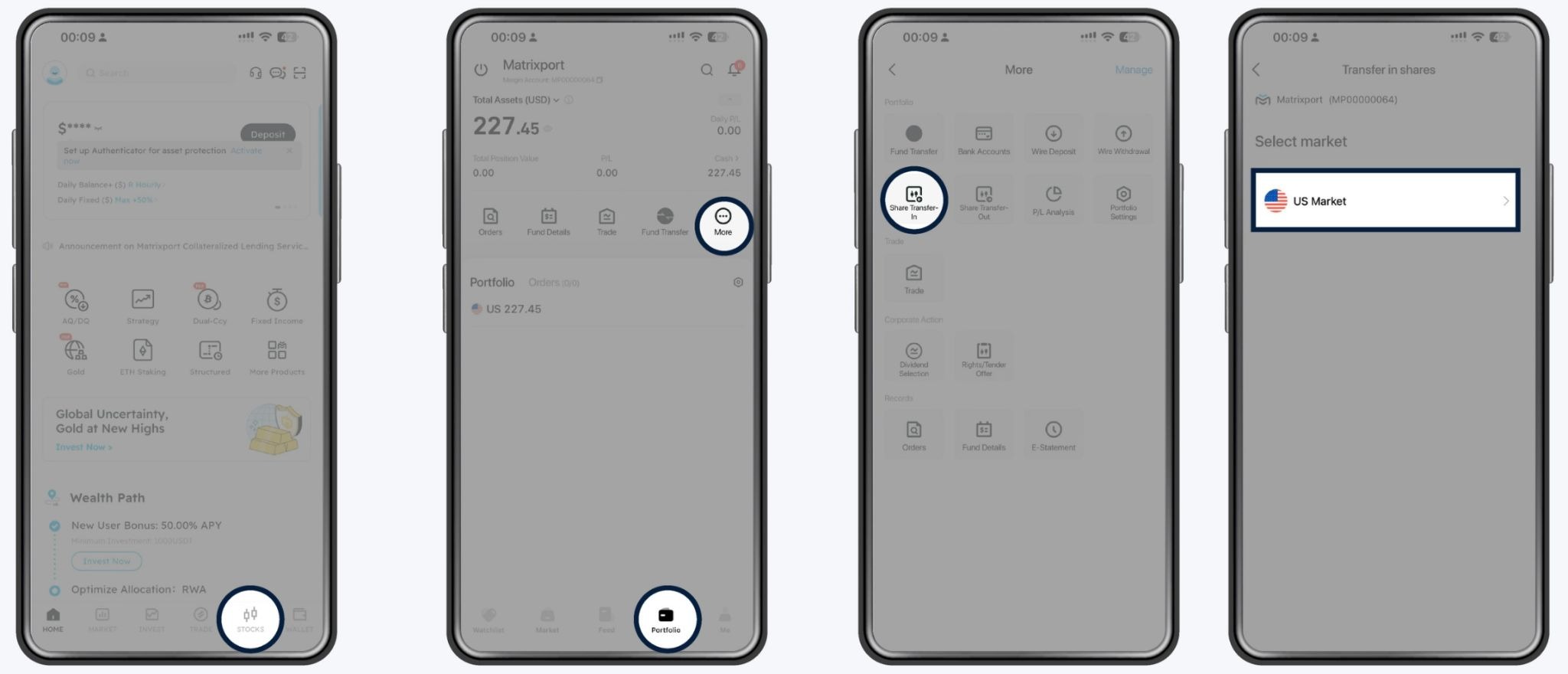
Navigation Path
STOCKS → Portfolio → More → Share Transfer-In → U.S. Market
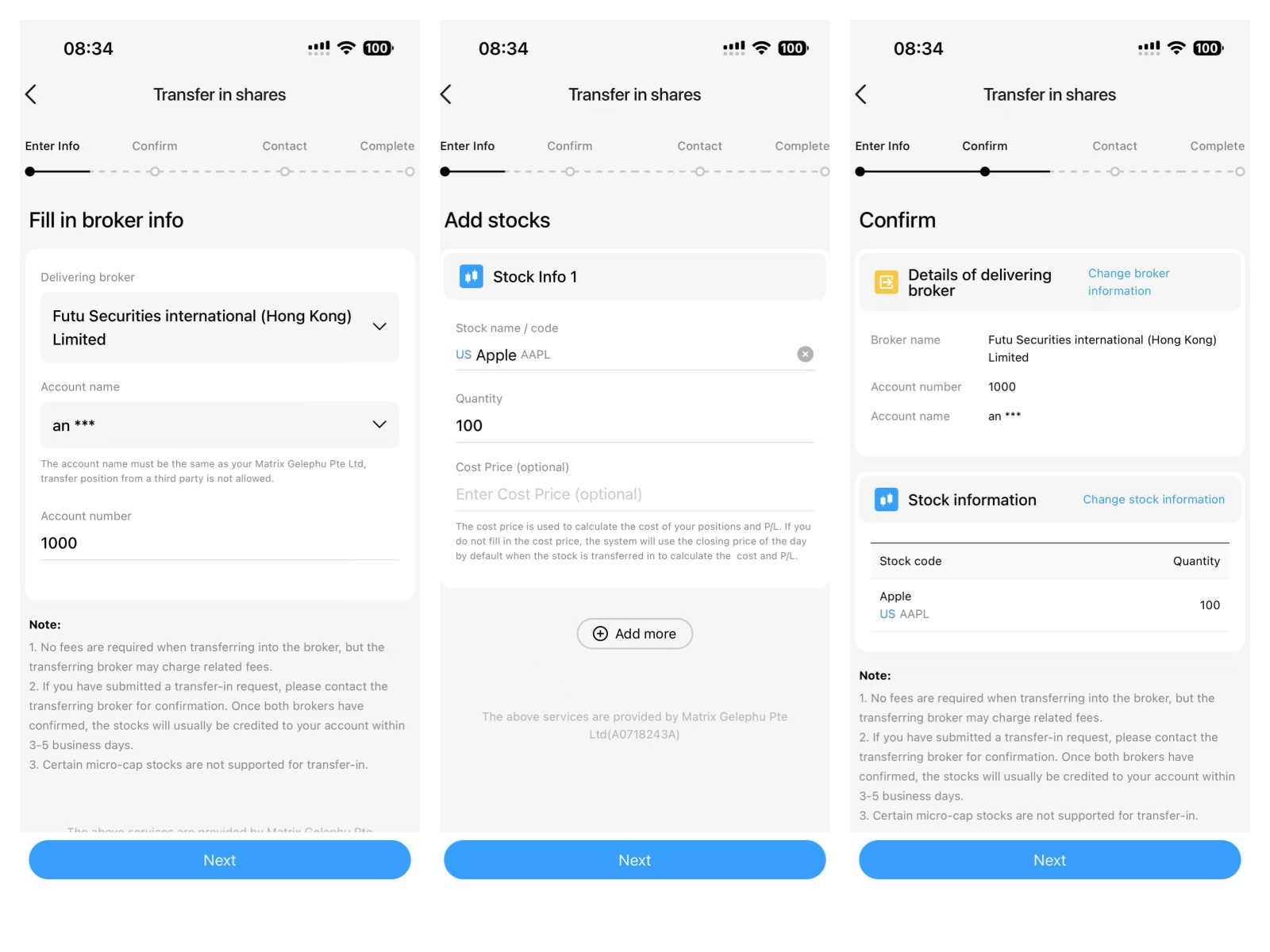
Fill in the required information and submit the request
- Enter broker information
- Enter stock details (stock ticker / number of shares)
- Review the information and tap “Next”
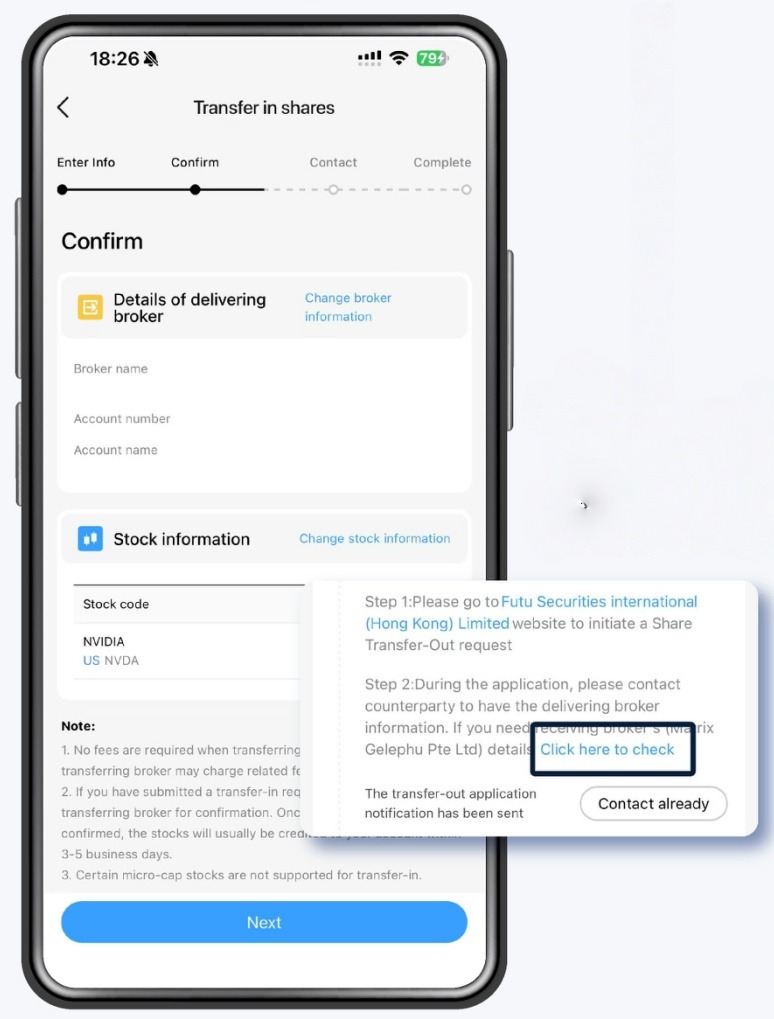
After submission
- The page will display “Submitted”
- You may tap “Click here to check” or log in to the email address registered with your BIT account to check the email.
- You may copy the receiving broker information for later use
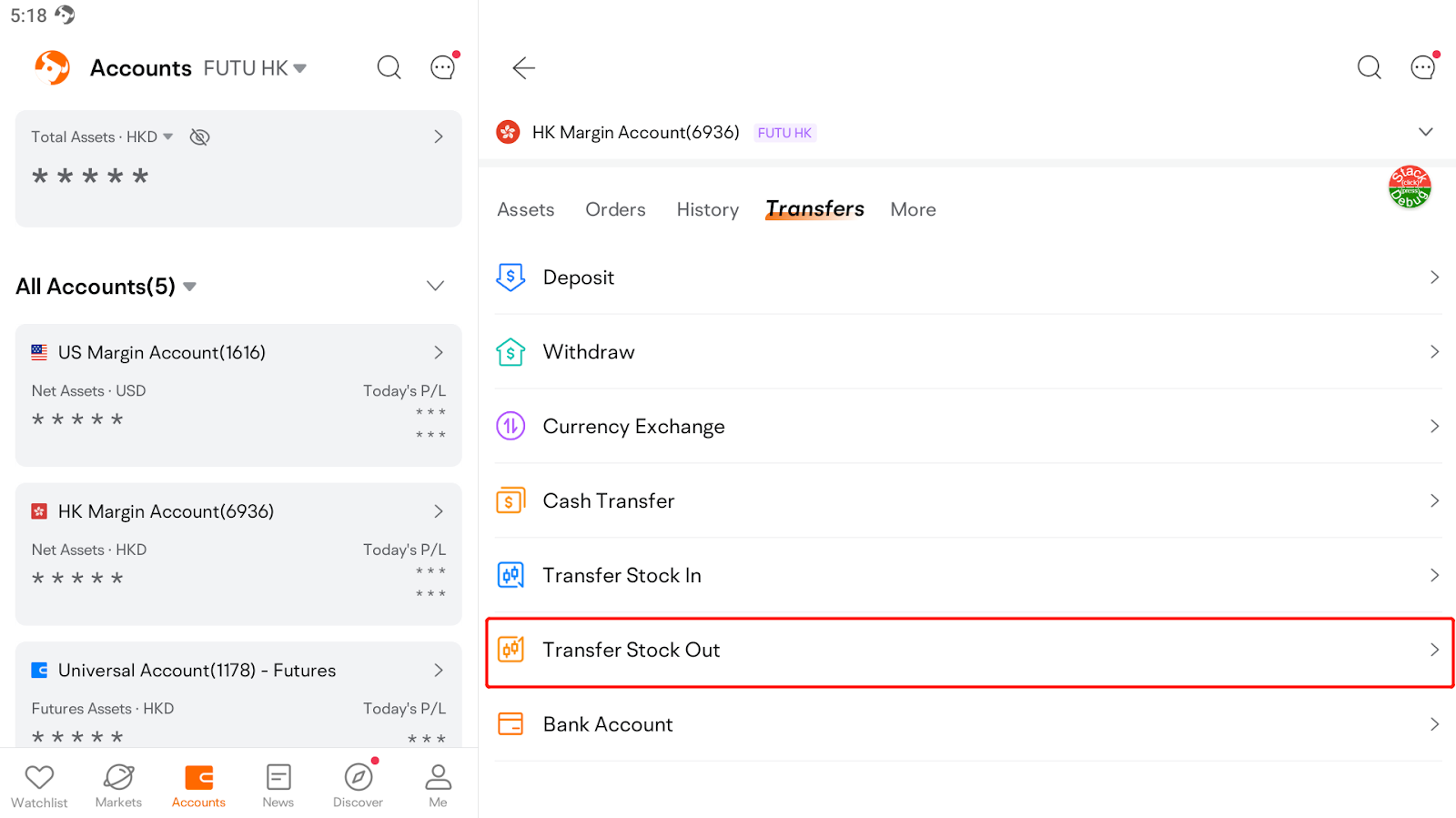
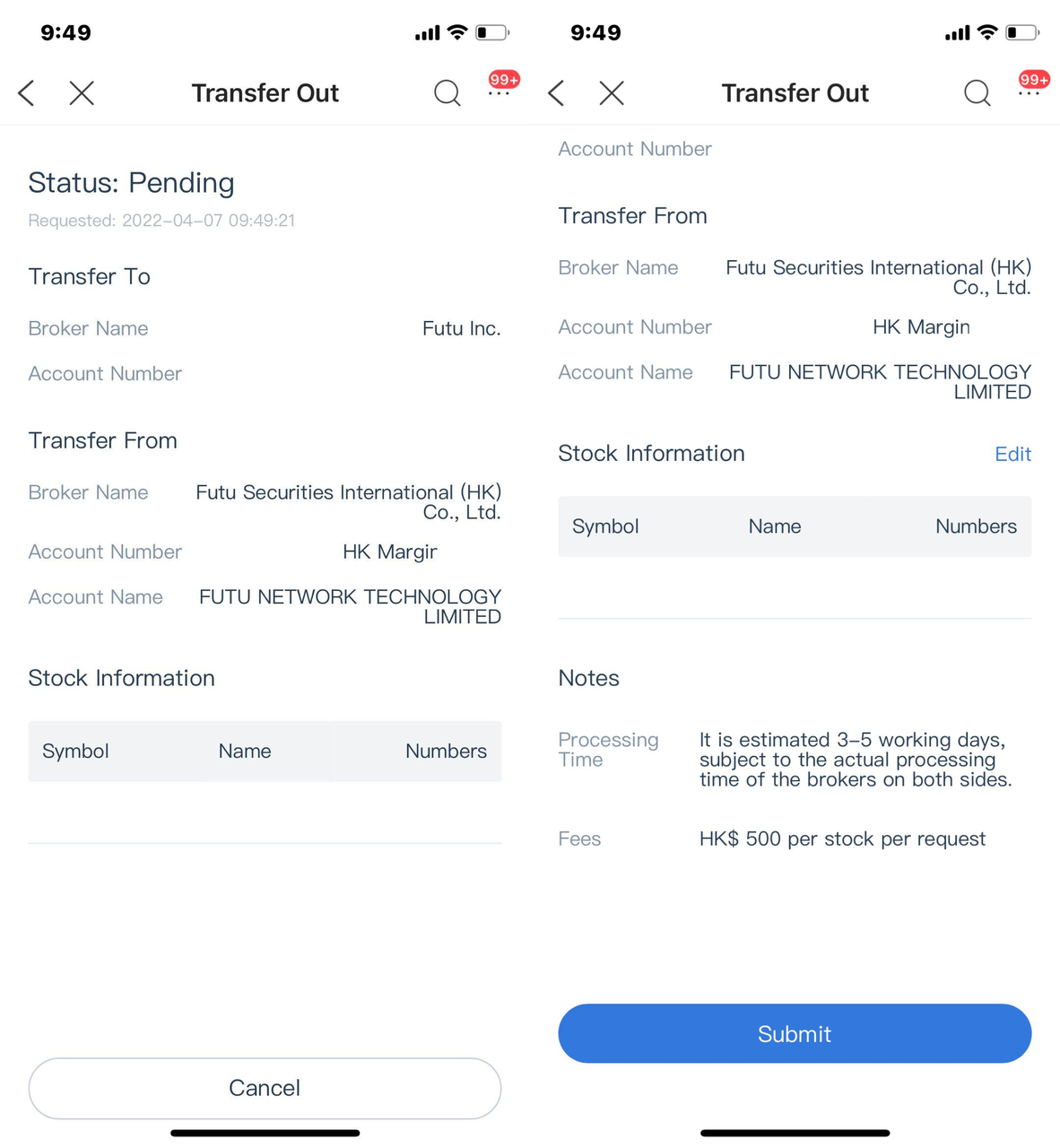
Step 2|Initiate Stock Transfer-Out on the Futu App
Navigation PathTap Accounts > Any Account > Transfers > Transfer Stock Out
Enter receiving broker and stock information
The system will display your default account. If you have multiple accounts, please select the eligible account from which you wish to transfer your stocks.
BIT broker information and your BIT account details:
- Broker name: Matrix Gelephu Pte Ltd
- DTC (Participant number): DTC#4305
- Contact person: Settlement Department
- Contact number: (852) 2498 2080
- Email: settlement.securities@bit.com
- Account Number: Your BIT securities account number
- Account Name: Must match your Futu account name
Confirm and submit
- Review stock ticker, number of shares, and receiving broker
- Enter trading password
- Submit the transfer-out request
Step 3|Notify BIT After Submitting the Transfer-Out on Futu
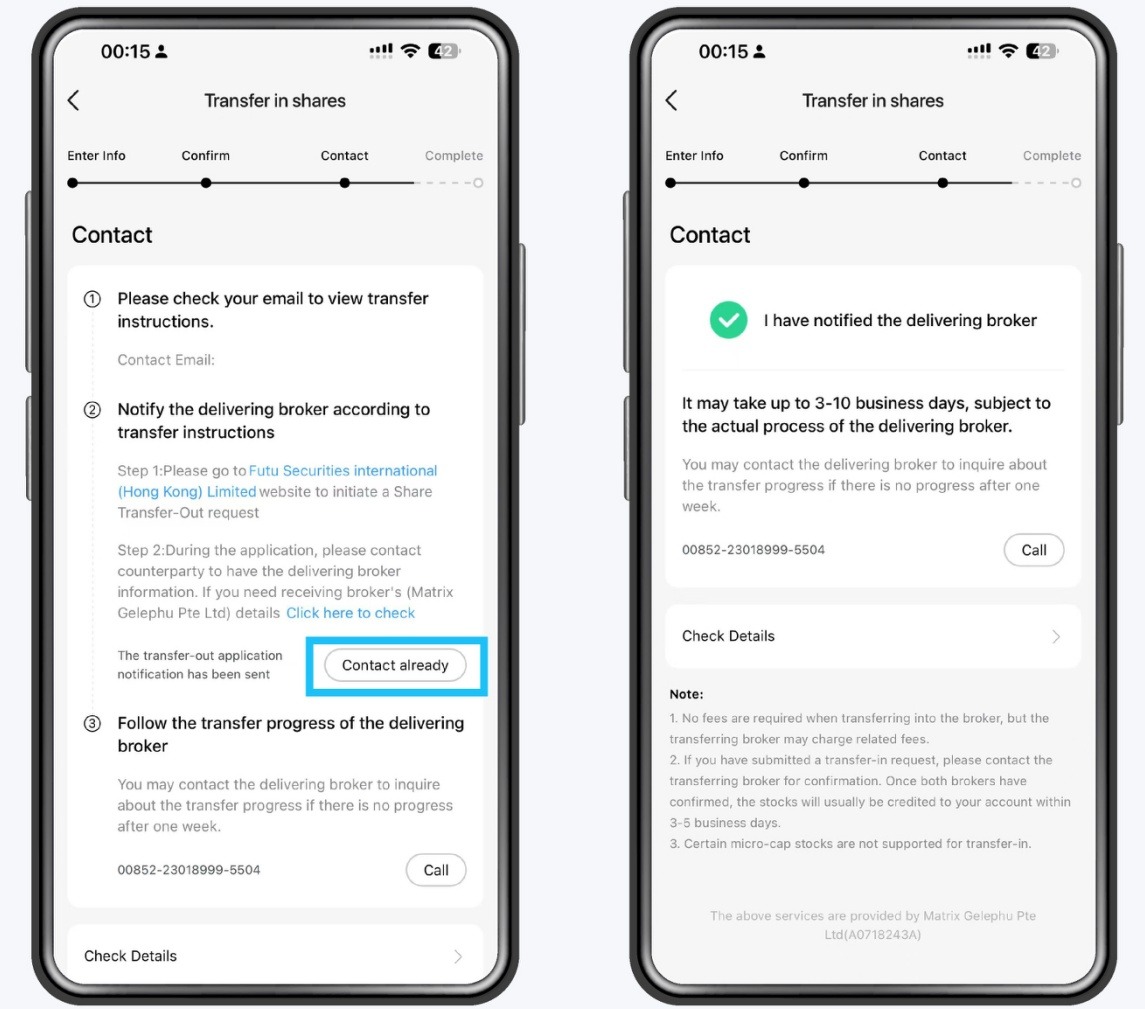
Instructions
- After submitting the transfer-out request on Futu
- Return to the BIT App
- Tap “I Have Notified” on the corresponding transfer-in request
Step 4|Wait for the Stocks to Be Credited
- Stocks will be transferred after Futu completes its review
- Processing time is usually 1–5 business days
- Actual timing depends on market conditions and broker processing
- Once completed, stocks will appear in your BIT securities account
Important Notes
- Stocks from different markets must be transferred separately
- Outstanding debts or negative balances may cause transfer failure
- Some cases may require manual review by Futu
- All information displayed in the App shall prevail
Was this helpful?
Preview
Preview
Preview
Preview
Preview
Preview